
What Small Law Firms Should Actually Be Tracking in GA4

Most small law firms don’t have a traffic problem.
They have a tracking problem.
Over the last year, we’ve worked closely with our agency partner Clixsy on tracking audits and reporting projects for firms including Allen Law Firm, Andrew Pickett Law, and Freedland Harwin Valori Gander (FHVG).
Different firms. Different websites. Different agencies involved over the years.
But honestly, the same tracking problems keep showing up.
GA4 gets installed. A few conversion tags get added. Reports start populating. Everybody assumes the data must be fine because numbers are showing up inside dashboards.
Most of the time, nobody actually checks whether the setup is reliable.
And that’s usually where things start going sideways.
The dangerous part isn’t that tracking is completely broken. Sometimes it is. But more often, the data looks believable enough that nobody questions it until marketing decisions start depending on it.
That’s when the problems show up.
Most Firms Stop at Installing GA4
In a lot of audits, the tracking conversation basically ends once GA4 is installed.

That’s it. Analytics is considered “done.”
But having GA4 on a website and having trustworthy reporting are two completely different things.
Nobody validates attribution. Nobody tests form submissions properly. Nobody checks whether conversions are double firing. GTM containers rarely get audited unless something visibly breaks.
Tracking gets treated like a one-time setup task instead of an ongoing system that needs maintenance.
And honestly, we get why. Most law firms are focused on generating cases, not debugging analytics platforms every month.
But bad tracking creates bad reporting. And bad reporting eventually creates bad decisions.
We’ve seen firms spending heavily on PPC while relying on conversion events that were never fully tested in production.
We’ve also opened accounts where inflated lead numbers looked fantastic on paper until somebody realized the same form submission was firing multiple conversion tags at once.
The problem usually isn’t whether GA4 exists.
It’s whether anybody actually trusts the data inside it.
We Keep Finding the Same GTM Problems
Google Tag Manager should make things easier. In theory, at least.
In reality, a lot of GTM containers become a timeline of every agency, developer, freelancer, and marketing team that ever touched the website.
One team installs GA4. Another installs Google Ads directly through WordPress. Somebody adds Meta Pixel manually. A plugin starts injecting scripts automatically. Then another agency adds its own tracking layer later without removing anything that already exists.

Eventually, nobody really knows what’s firing anymore.
Or worse, everybody assumes somebody else already checked it.
In a lot of audits, we’re not looking at one clean tracking setup.
We’re looking at years of different tracking decisions stacked on top of each other.
Some of the more common issues we keep seeing:
- Duplicate Google Ads conversion tracking

- GA4 firing from both GTM and WordPress plugins
- Old Universal Analytics remnants still running

- GTM snippets installed incorrectly or plugin-generated tags overlapping with GTM causing GTM not loading properly
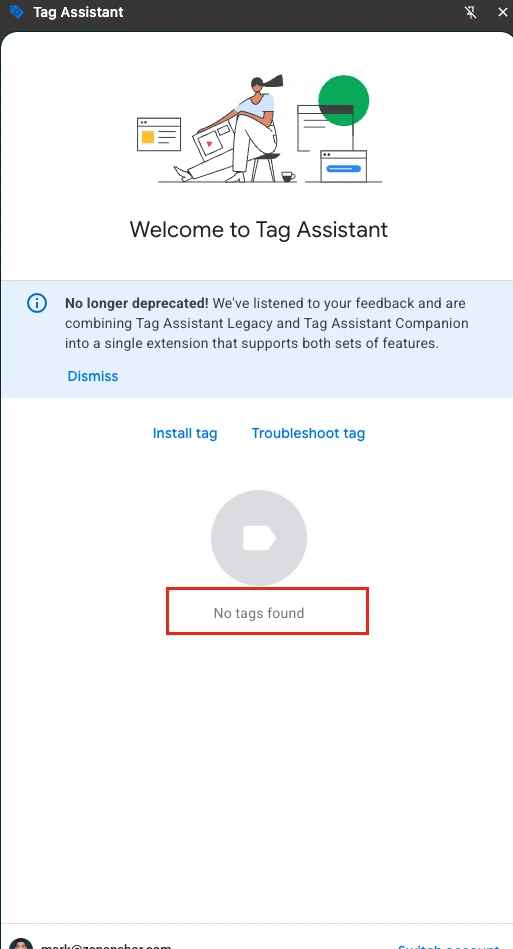
We still regularly find Universal Analytics code running on websites in 2026. That sounds ridiculous until you start auditing enough websites.
And duplicate conversion tracking is way more common than most firms realize.
In one audit, we found three separate Google Ads conversion tags attached to the same contact form. Nobody noticed because reporting still “looked” normal.
Some Consent Setups Are Quietly Breaking Attribution
Consent Mode is probably one of the more misunderstood parts of modern tracking right now.
To be clear, consent banners themselves are not the problem.
The issue is that some firms implement extremely restrictive setups without realizing how much data they’re suppressing in the process.

We’ve seen websites block analytics entirely unless users manually opt in first. On paper, that may sound safer. In reality, it can quietly damage attribution, reduce conversion visibility, weaken remarketing audiences, and create reporting gaps nobody notices until much later.
Especially for firms primarily serving US-based traffic.
And the problem is most firms won’t immediately connect the dots between consent configuration and incomplete reporting. They just notice that GA4, Google Ads, CallRail, and CRM numbers never fully line up anymore.
Then everyone starts blaming the platforms.
In A Lot Of Audits, The Default Settings Were Never Changed
This one is surprisingly common.
The reports populate. Traffic appears. Events are recorded. So nobody thinks to revisit the actual GA4 configuration itself.
But underneath the surface, basic settings are often incomplete.
We regularly see:
- Data retention still set to two months

- Internal office traffic never excluded

- Referral exclusions missing
- Cross-domain tracking incomplete
- Reporting Identity never reviewed
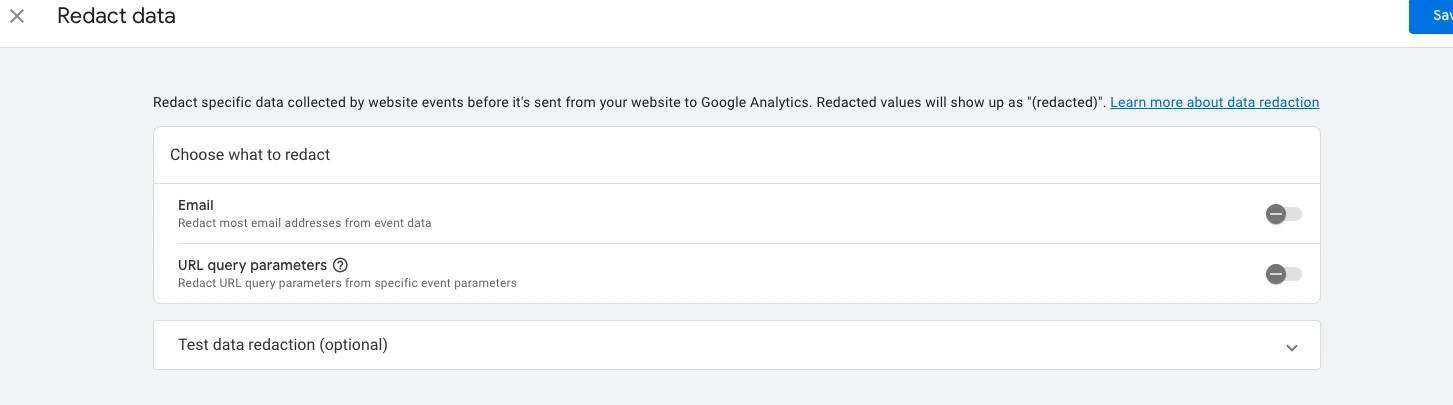
- Data Redaction disabled
Some firms are losing historical event data simply because nobody changed the default retention settings after setup.
Internal staff traffic polluting reports is another big one. Especially for firms where intake teams, attorneys, or marketing staff frequently visit the site throughout the day.
We’ve also seen personally identifiable information accidentally flowing into reports through URLs or form fields without anyone realizing it for months.
None of these are advanced analytics issues.
That’s the scary part.
They’re foundational setup problems.
Most Form Tracking Still Isn’t Reliable
This is probably the issue we see most often.
A lot of law firm websites still rely heavily on thank-you page tracking for conversions.
At first, it sounds simple enough:
- User submits form
- Thank-you page loads
- Conversion fires
Done.
Except it usually isn’t that simple.
If a conversion fires every time somebody refreshes a thank-you page, you’re not really measuring leads anymore. You’re measuring pageviews.
We’ve seen inflated conversions caused by:
- page refreshes
- bookmarked thank-you pages
- broken redirects
- duplicate triggers
- multiple tags attached to the same page
And honestly, some firms have been making decisions off those numbers for years without realizing the data was inflated the entire time.
A form submission should fire when the submission is actually confirmed - not just because a URL happened to load.
That’s why we usually prefer confirmed form events through dataLayer pushes, AJAX confirmation handling, or validated success states instead of relying entirely on thank-you pages alone.

Cleaner tracking usually fixes reporting problems faster than adding more dashboards ever will.
Documentation Is Another Mess Entirely
Nobody likes documenting analytics setups.
We get it.
But six months later, nobody remembers why half the triggers exist anymore.
In a lot of GTM containers, there’s no documentation explaining:
- which events matter
- which tags are deprecated
- who added what
- which conversions are still active
- why certain scripts exist in the first place
Then agencies change. Developers leave. Marketing teams shift priorities.
And suddenly nobody wants to publish GTM changes anymore because they’re afraid something else might break.
That happens more than people think.
Most tracking setups become difficult to maintain once multiple vendors touch the same container over time.
Attribution Usually Gets Ignored Until The Reports Stop Making Sense
Most firms care about leads.
Very few spend time thinking about attribution until reporting starts looking strange.
UTMs are inconsistent. Campaign naming conventions change. Some email campaigns are tagged correctly while others aren’t. Meta Ads and Google Ads use different structures. Auto-tagging conflicts with manual tagging.
Eventually reports start filling with:
- “Unassigned”
- “Direct”
- “(not set)”
By the time somebody notices unassigned traffic taking over reports, the underlying problem has usually existed for months already.
This gets expensive fast for firms running PPC campaigns.
Because now budget decisions are being made off reporting nobody fully trusts.
And if reporting can’t clearly explain:
- where leads came from
- which landing pages converted
- which campaigns generated consultations
- which channels produced actual calls
then marketing decisions slowly turn into guesswork.
What Small Law Firms Should Actually Track
Most firms don’t need more metrics.
They need cleaner data tied to the things that actually matter.
For most small law firms, that usually includes:
- confirmed form submissions
- consultation requests
- qualified phone calls
- landing page conversion rates
- source and medium performance
- PPC versus organic lead performance
- top-performing practice area pages
- campaign attribution
- branded versus non-branded traffic
- call tracking events
The firms that usually get the most value from GA4 are not necessarily the ones with the most complicated setups.
They’re the ones consistently validating their data.
Why We Started Building Legal Audits Inside The Helm
After auditing enough law firm websites, we kept running into the same problems over and over again.
That became part of the reason we started building legal-specific auditing and reporting workflows inside The Helm.
The goal wasn’t to create another dashboard platform.
Honestly, there are already plenty of dashboards out there.
What we kept seeing was that many firms first needed help validating whether their tracking setup was reliable to begin with.
Not prettier reports.
Better data.
That includes things like:
- duplicate conversion tracking
- broken attribution
- poor GTM governance
- missing GA4 configurations
- unreliable form tracking
- inconsistent campaign tagging
Because most firms don’t actually need more reporting tools stacked on top of broken tracking.
They need cleaner foundations first.
If you want to better understand how your current GA4 and GTM setup compares, or identify possible tracking issues affecting your reporting, you can run a free audit directly inside The Helm.
Thank you for reading!
We’re always looking for ways to improve our blog content. Please share your feedback so we can make it even better.
Keep reading
- Your 2026 GA4 + AI Strategy Guide: What to Review, Fix, and Focus On
Planning for 2026 starts with understanding what really happened in 2025. This guide shows how to review GA4 data, use AI to uncover patterns, fix weak points, and turn insights into a focused action plan for the year ahead.
- How to Master Black Friday & Cyber Monday Reporting in GA4 (with AI & MCP Enhancements)
Master Black Friday & Cyber Monday reporting in GA4 with AI and the Model Context Protocol (MCP). Discover how to uncover insights, track real-time performance, and make data-driven decisions for smarter, more profitable BFCM campaigns in 2025. to get more insights
- Mastering GA4 & GTM for Magento – Smarter Event Tracking with AI
Learn how to set up GA4 + GTM on Magento with smarter event tracking powered by AI. Follow step-by-step setup, track key ecommerce actions, spot missing events, and avoid common pitfalls like duplicates or misfires to ensure accurate insights and stronger funnel optimization.
Work with us
Need this done for your property?
Analytics Mates handles GA4 setup, GTM implementation, Looker Studio dashboards, and the ongoing measurement operations that agencies and in-house teams don't have bandwidth for.