
GA4 New AI Assistant Channel Explained: Tracking, Reporting, and What It Means for Your Analytics
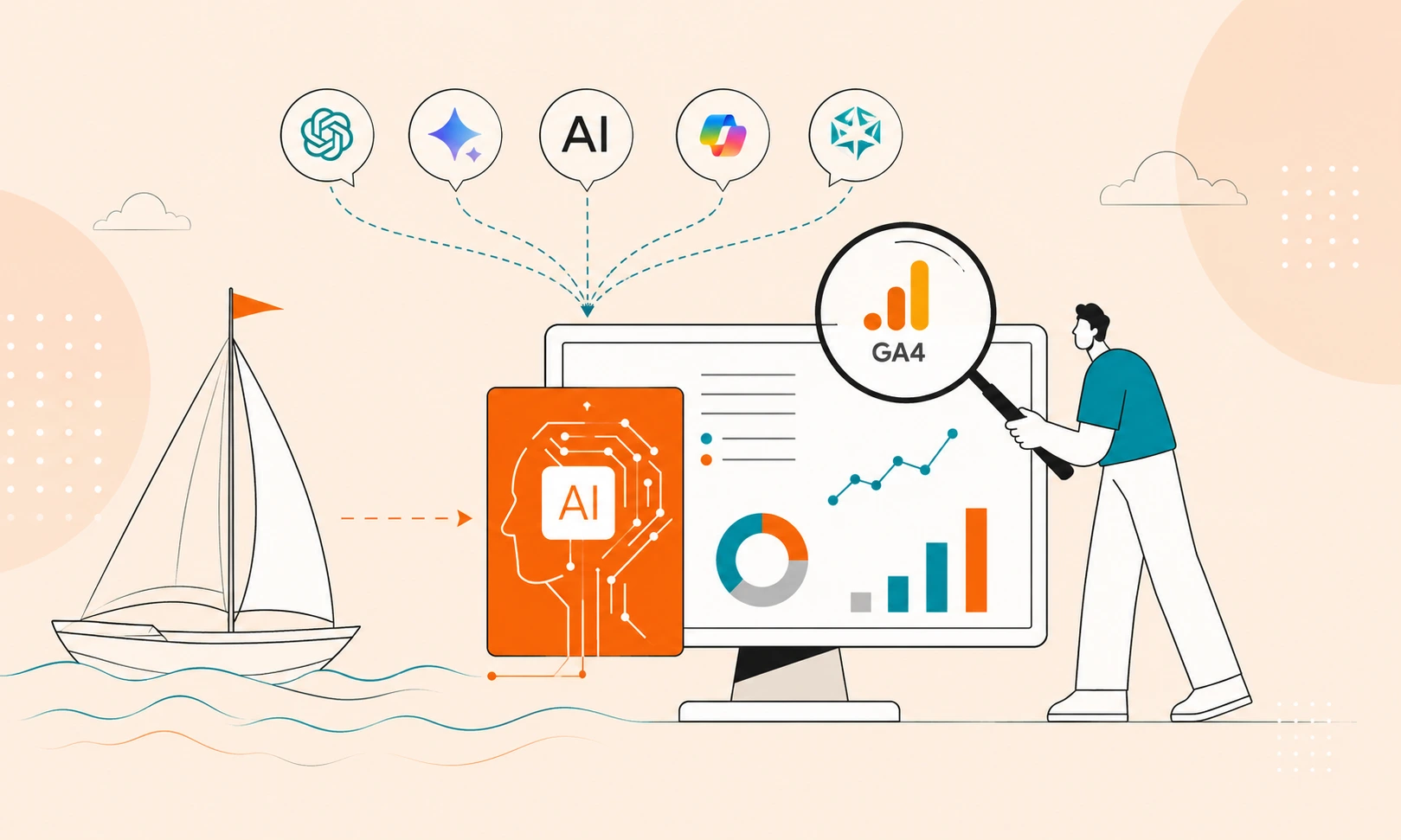
AI assistants are already sending traffic to websites.
That isn’t really the news.
The traffic was never impossible to find. You could filter source reports, build custom channel groups, or use regex to isolate visits from ChatGPT, Perplexity, Gemini, and other AI assistants. The problem was that every team had its own approach, and none of them provided a complete or consistent picture.
Google has started to change that.
What is the GA4 AI Assistant Channel?
Google recently added AI Assistant as a new default channel in GA4.

Honestly, there isn’t much to configure. If someone arrives from a supported AI assistant, GA4 automatically classifies the session as AI Assistant. No GTM updates. No custom channel groups. It just starts appearing in your acquisition reports.
One thing worth knowing is that the change isn’t retroactive. Yesterday’s reports stay exactly as they are. AI Assistant only applies to new eligible traffic going forward.
That’s pretty much the feature.
Why This Update Matters
AI traffic is finally visible
For years, identifying AI-driven visitors meant digging through referral reports, building regular expressions, or creating custom channel groups. None of those approaches were perfect, and every organization ended up measuring AI traffic differently.
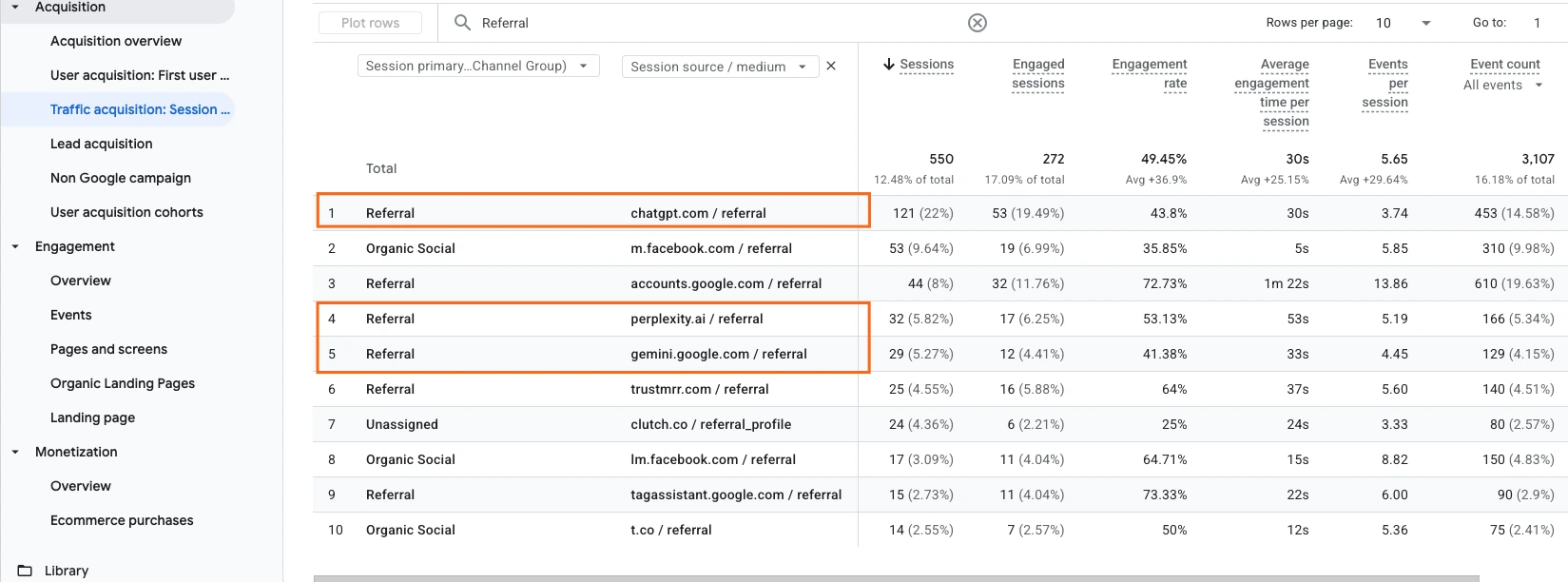
Now, recognized AI referrals appear within standard acquisition reports, making AI much easier to monitor alongside other marketing channels.
Rather than asking whether AI traffic exists, organizations can finally begin measuring its contribution with greater confidence.
Google is signaling that AI has become mainstream
One of the most interesting parts of this announcement isn’t the reporting feature itself.
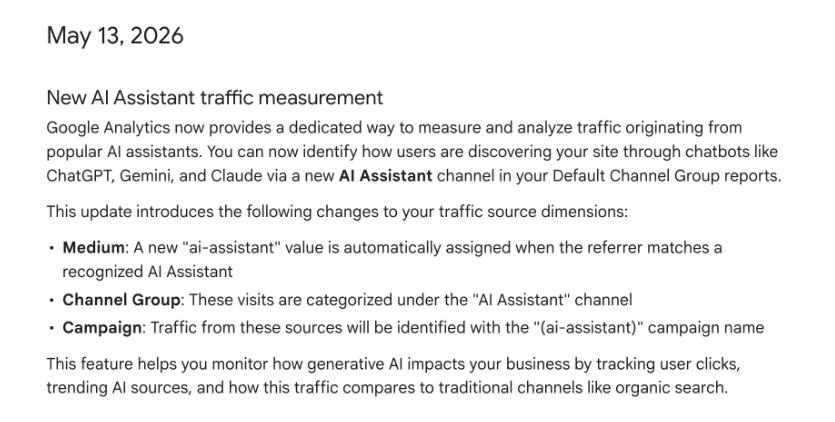
Google rarely introduces entirely new Default Channel Groups. When it does, it’s usually because user behavior has changed enough to justify a permanent reporting category.
The addition of AI Assistant tells us something important:
Google believes AI-generated referrals are no longer niche traffic.
Instead, AI assistants are becoming legitimate discovery platforms that deserve their own place in marketing reports.
That makes this update much larger than a simple reporting improvement.
AI has become another stop in the customer journey.
For years, the typical journey looked something like this:
Google Search → Website → Conversion
Today, that path is becoming much less predictable.
Someone ask for ChatGPT for recommendations, compare responses with Gemini, perform one final Google search, then visit a website before converting.
Or they may never use Google at all.
Understanding where AI can contribute to that journey will become increasingly important as adoption continues to grow.
What This Means for Reporting and Analytics
This is where the AI Assistant channel becomes genuinely valuable.
The feature isn’t simply about adding another row to an acquisition report. It creates an entirely new way of thinking about traffic quality and customer acquisition.
Reporting will continue to evolve
Most acquisition reports traditionally focus on channels such as:
- Organic Search
- Paid Search
- Referral
- Direct
Increasingly, AI Assistant will become another channel that organizations monitor regularly.

As adoption grows, we expect AI reporting to become just as routine as SEO reporting.
The questions analysts should be asking are changing
Many organizations will naturally begin by asking:
“How much AI traffic did we receive?”
That’s a useful starting point, but it probably isn’t the most valuable question.
In a lot of analytics audits, we keep seeing that traffic volume alone rarely tells the full story.
Instead, marketers should begin exploring questions like:
- Which AI assistant sends the highest-quality visitors?
- Which landing pages attract AI-generated traffic?
- Does AI traffic engage differently from Organic Search?
- Which AI platforms generate the strongest conversion rates?
- Which content appears to earn the most AI referrals?
- Which marketing campaigns benefit most from AI-driven visitors?
The conversation shifts from measuring traffic to measuring business impact.
AI deserves a place on executive dashboards
As AI becomes a measurable acquisition source, leadership teams will naturally want visibility into its performance.
Rather than creating entirely separate reports, most organizations will likely begin adding AI Assistant alongside their existing acquisition metrics.
Some useful KPIs include:
- Sessions
- Users
- Engagement Rate
- Average Engagement Time
- Key Events
- Conversion Rate
- Revenue
- Top AI assistants
- Top landing pages
- Returning visitors
Over time, AI reporting may become just another standard section in monthly performance reviews.
Understanding the Limitations
One reason this update is so useful is that it also highlights what GA4 still cannot measure.
Understanding those limitations helps prevent inaccurate conclusions.
AI Assistant does not represent all AI traffic
Google can only classify traffic that it can confidently recognize.
Many AI-influenced visits will continue appearing elsewhere, including:
- Direct
- Referral
- Other acquisition channels
This can happen because of copied URLs, missing referral information, browser privacy controls, unsupported AI platforms, or other technical limitations.
Think of AI Assistant as:
Recognized AI traffic NOT Every visit influenced by AI.
What Should You Do With AI Traffic?
The new AI Assistant channel is useful, but only if somebody actually looks at it.
One place to start is separating AI traffic from everything else. The numbers may not be impressive today. That’s fine. Building a baseline now makes it much easier to understand how AI-driven discovery changes over time.
The next step is looking at where AI visitors actually land. If AI traffic consistently lands on the same articles, landing pages, or resources, there’s usually a reason. Those pages tend to be well organized, easy to understand, and backed by credible information. That’s probably not a coincidence.
It’s also worth paying attention to quality instead of volume. A small number of engaged AI visitors who convert is far more valuable than thousands of visits that go nowhere. That hasn’t changed just because the traffic came from an AI assistant.
And honestly, this isn’t about optimizing for AI instead of search.
The same things that make content useful for Google usually make it useful for AI assistants too. Clear structure. Accurate information. Real expertise. Content that’s maintained instead of forgotten.
Frequently Asked Questions
1. Should I create a separate dashboard just for AI Assistant traffic?
Not necessarily. For most organizations, it’s more practical to add AI Assistant as another acquisition channel within your existing executive or marketing dashboard. If AI becomes a significant traffic source over time, you can always expand into a dedicated report.
2. How long should I wait before evaluating AI Assistant performance?
This channel was just recently added in May so it’s better to look for trends over several weeks or months rather than reacting to daily fluctuations. A longer time frame provides a more reliable picture of visitor behavior and conversion patterns.
3. Can AI Assistant traffic be compared fairly against Organic Search?
Yes, but context matters. Organic Search and AI Assistant often represent different stages of the customer journey. Comparing engagement, conversion rate, and assisted conversions usually provides more insight than comparing session volume alone.
4. Could AI Assistant become one of my top traffic channels?
For some industries, absolutely. Businesses that publish educational content, research, technical documentation, or detailed buying guides are more likely to see growth from AI-driven referrals as AI assistants continue expanding their web access and citation capabilities.
5. Will this affect my historical reports?
No. The AI Assistant channel applies only to newly processed traffic. Historical reports are not reclassified, so don’t expect older data to suddenly move into the new channel.
6. Should I update my monthly reporting process?
Yes, it’s important to review your reporting templates. Adding AI Assistant alongside Organic Search, Paid Search, Referral, and Email gives a clearer view of how acquisition channels are evolving.
7. How can I tell which AI platform performs best?
You can check your GA4’s Traffic Acquisition or Landing Page reports with Session source or Source/Medium as a secondary dimension. This allows you to compare AI assistants based on engagement, conversions, and other key metrics.
8. Does more AI traffic automatically mean better performance?
Not always. A smaller number of more engaged AI visitors can generate stronger business results than a much larger audience from another channel.
9. Should SEO teams care about the AI Assistant channel?
Absolutely. AI discovery and traditional search are becoming increasingly related. Monitoring AI-driven traffic and engagement shows which content is being surfaced by AI assistants and may reveal opportunities to strengthen your content strategy.
10. Is this likely the last AI-related update we’ll see in GA4?
Probably not. We think that AI-assisted search and discovery continue to evolve, and we expect Google Analytics to introduce additional reporting capabilities as user behavior changes and AI becomes a larger part of the digital world.
Looking Ahead
This probably won’t be the last AI-related update we see in GA4.
AI assistants platforms are quickly becoming part of how people discover businesses, products, and information. That makes them less like productivity tools and more like another acquisition channel.
It feels a lot like social media did years ago. At first, social traffic was easy to ignore. Then it became something every marketing team had to measure.
AI traffic may follow the same path.
The organizations that start paying attention and leveraging these AI features now will have a much better understanding of how AI fits into the customer journey as adoption continues to grow.
Because the real story isn’t how many visits AI sends.
It’s how AI influences decisions before someone ever reaches your website.
Thank you for reading!
We’re always looking for ways to improve our Google Analytics 4 blog content. Please share your feedback so we can make it even better.
Keep reading
- Google Search Console's Generative AI Reports Are Here. What They Show — and What They Still Miss
Google Search Console now reports visibility in AI Overviews, AI Mode, and generative AI features in Discover. What the report measures, what it still will not show, and how to read it next to GA4 and the rest of your stack.
- What Small Law Firms Should Actually Be Tracking in GA4
Most small law firms don’t have a traffic problem - they have a tracking problem. Learn the GA4, GTM, attribution, and conversion tracking issues we keep finding in law firm audits, plus what firms should actually track to improve reporting and marketing decisions.
- February 2026 Core Update: Why Your Organic Traffic Dropped and What to Do Now
Organic traffic dropped after the February 2026 Core Update? This guide explains what core updates really do, why rankings fluctuate, and how to audit your site using GA4 and Search Console. Learn how to identify weak pages, align search intent, and strengthen your SEO strategy.
Work with us
Need this done for your property?
Analytics Mates handles GA4 setup, GTM implementation, Looker Studio dashboards, and the ongoing measurement operations that agencies and in-house teams don't have bandwidth for.