
Google releases a steady stream of updates every year. Most don’t change much. Some create a lot of noise. A handful quietly reshape how marketers collect data, measure performance, and make decisions.
We spend enough time inside GA4, GTM, Looker Studio, and Google Ads to separate the interesting from the important. These are the updates that caught our attention and why we think they’re worth watching.
GA4 Update: AI Traffic Finally Has a Name
Last May 13, 2026 Google announced New AI Assistant traffic measurement.
For the past year, we’ve heard the same question from clients:
“Can we see traffic coming from ChatGPT?”
Until recently, the answer was frustrating.
Kind of.
Maybe.
Sort of.
Traffic from AI platforms often appeared as referral traffic, occasionally showed up under other channels, and generally required some digging to understand.
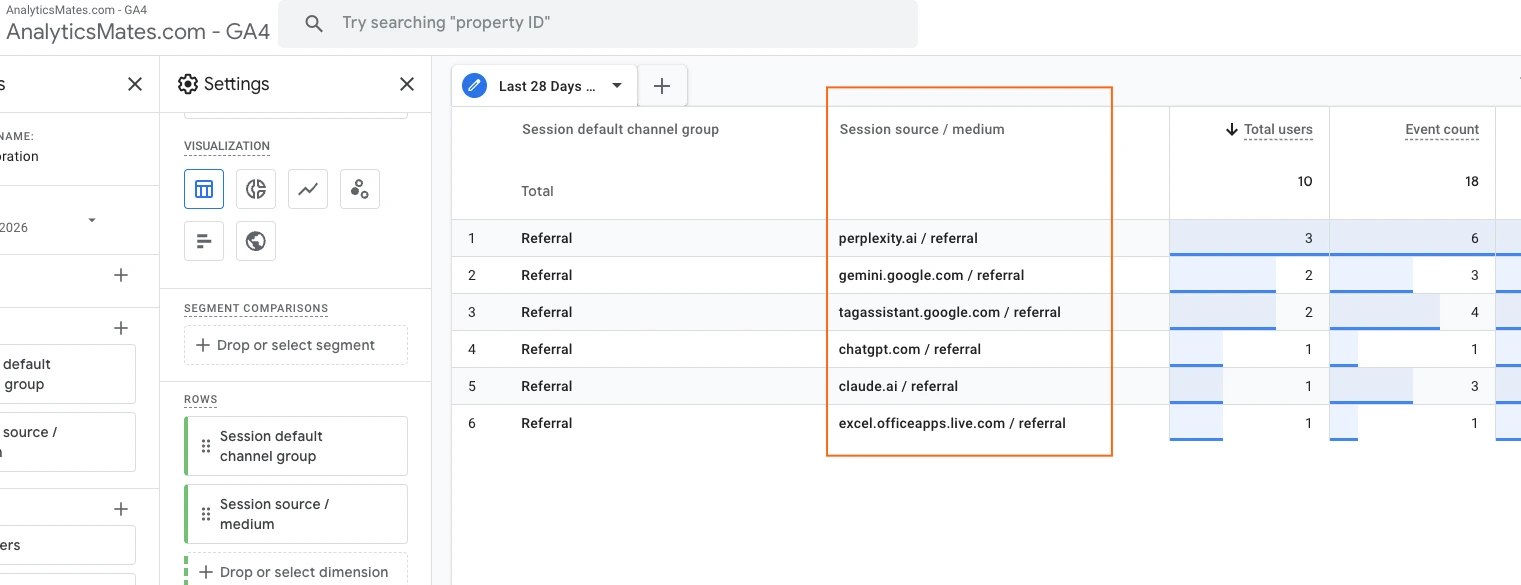
Google has started changing that.
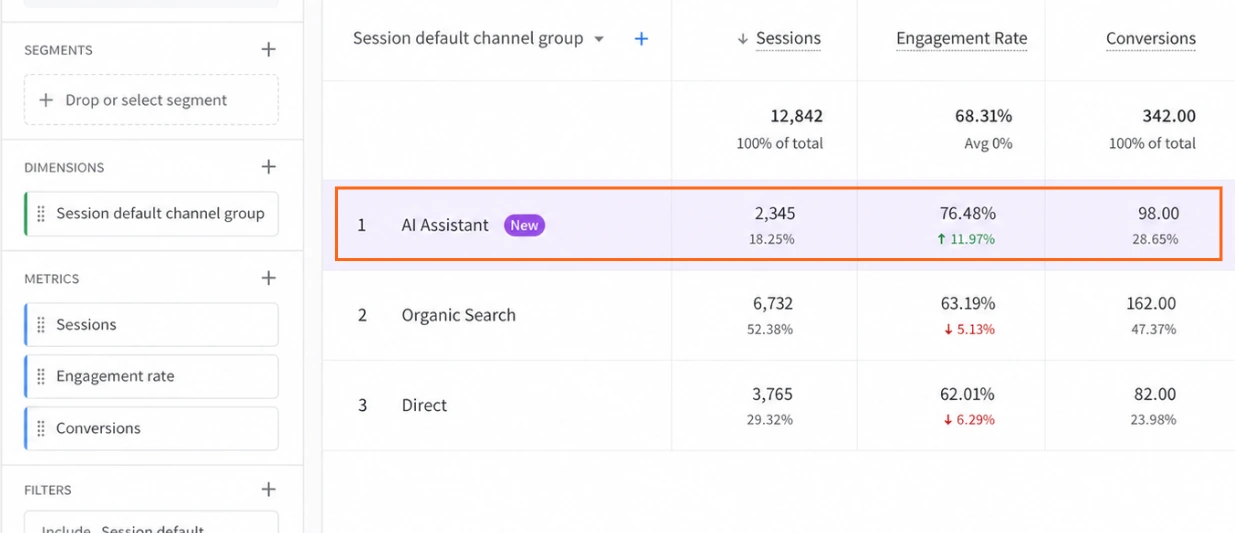
GA4 now includes support for AI Assistant traffic classification through dedicated channel grouping and traffic source identification.
On the surface, this may seem like a minor update.
We don’t think it is.
For the first time, marketers have a clearer way to measure visitors arriving from platforms such as ChatGPT, Gemini, Claude, and other AI-powered assistants.
The important thing isn’t the amount of traffic you’re receiving today.
Most businesses won’t see massive numbers.
The important thing is that you now have a baseline.
A year from now, you’ll be able to answer questions that many companies won’t.
- Is AI-generated traffic growing?
- Which pages attract AI-assisted visitors?
- Do those visitors convert?
- How does their engagement compare with Organic Search?
These are useful questions.
The feature hasn’t reached all GA4 properties yet, so we’re not actively using it across every client account. But once it becomes widely available, it will almost certainly become part of our standard reporting process. Understanding how AI assistants contribute to traffic and conversions is only going to become more important as AI-driven search continues to grow. Here’s how it looks like in GA4 once it becomes available (screenshot grab from Google’s update announcement).
If there is one GA4 update from 2026 worth monitoring closely, this is probably it.
GA4 Update: Attribution Is Becoming Easier to Understand
Attribution has always been one of the most misunderstood topics in digital marketing.
Everyone loves last-click attribution until they pause a campaign that wasn’t getting conversions and suddenly overall performance drops.
The new Conversion Attribution Analysis report is Google’s latest attempt to make customer journeys easier to understand. It was introduced in January of this year and is still in beta. If you don’t see it yet, your property may simply not be included in the current rollout.
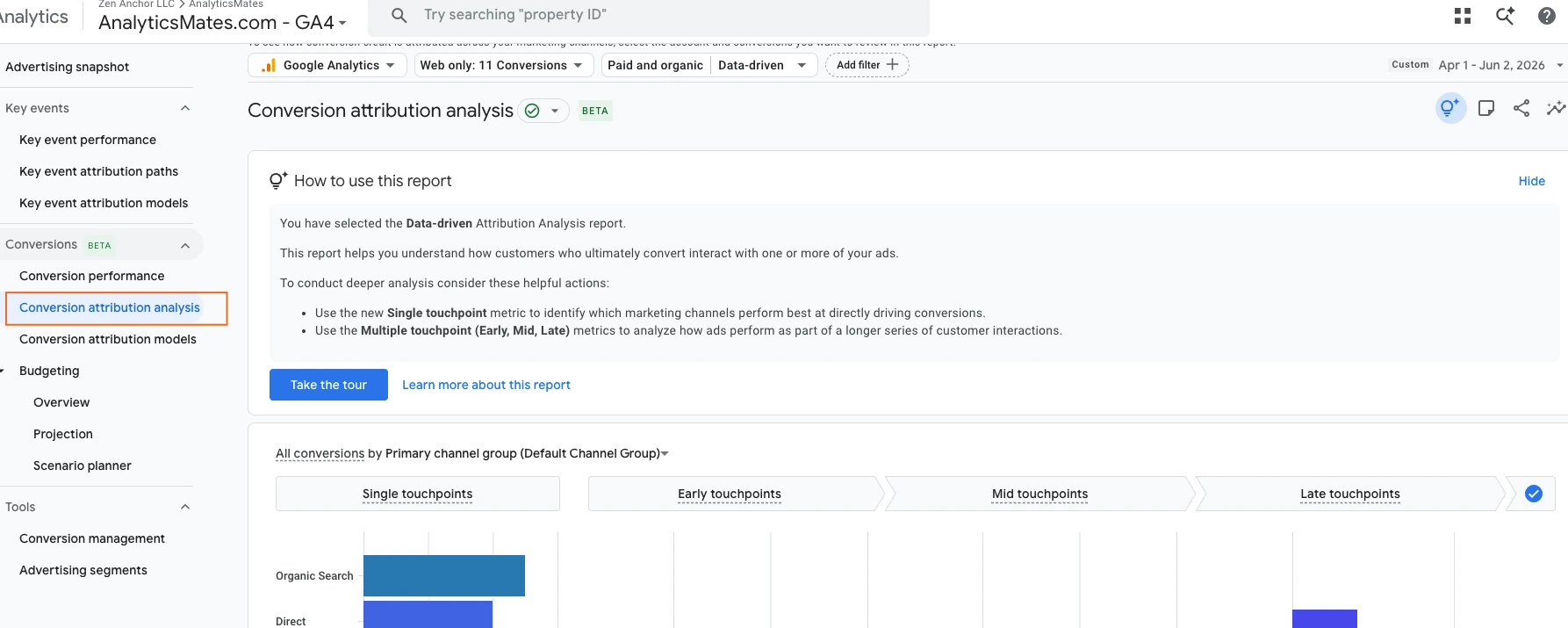
The report provides greater visibility into assisted conversions and the role different channels play before a conversion occurs.
That’s useful because most customer journeys aren’t linear.
Someone may discover your business through Organic Search.
Return through a remarketing campaign.
Click a branded ad.
And finally submit a lead form.
Under a strict last-click model, only one of those channels gets credit.
The others disappear from the story.
The new attribution reporting doesn’t magically solve attribution challenges, but it does make it easier to identify channels that influence conversions before the final interaction.
If you’re responsible for paid media budgets, this is worth reviewing.
We’ve seen businesses reduce awareness spending because those campaigns weren’t generating immediate conversions, only to discover later that they were supporting a significant portion of the funnel.
Before making budget cuts, spend some time inside these reports.
The story behind a conversion is often more interesting than the conversion itself.
GA4 Update: Google Introduces Task Assistant
One of the more practical additions to GA4 this year is something Google calls Task Assistant.
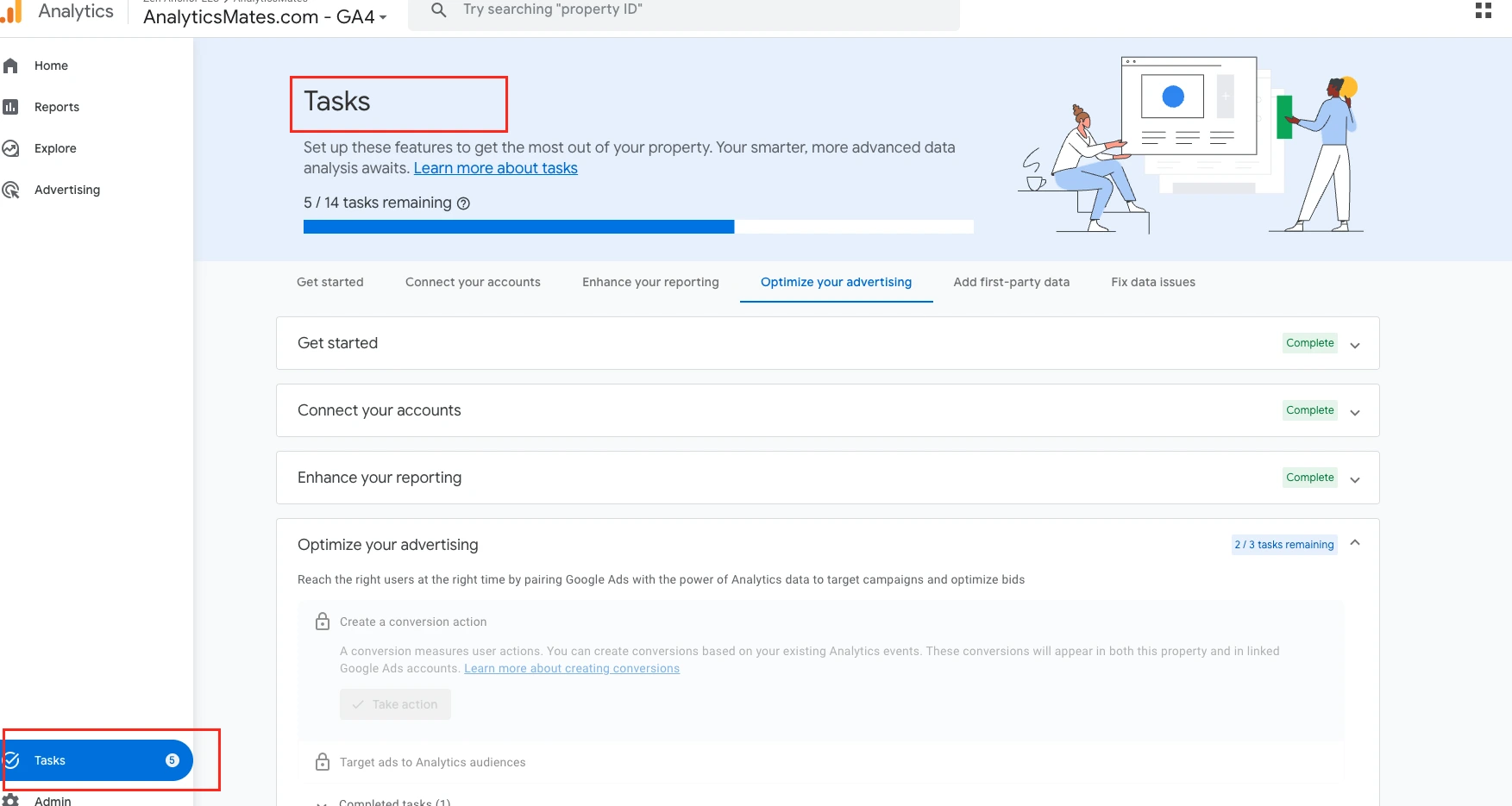
At its core, it’s a checklist.
GA4 now surfaces recommendations directly inside the platform to help users improve their setup. Some tasks focus on connecting Google products. Others highlight configuration issues, reporting opportunities, or missing settings that could affect data quality.
Task Assistant won’t replace an audit, but it can help businesses spot some of the low-hanging fruit.
That said, don’t assume every recommendation needs to be implemented.
Google is providing guidance based on the platform. Your business still needs to decide what matters. A recommendation that makes perfect sense for an e-commerce company may have little value for a law firm, healthcare provider, or lead generation website.
Still, we like where this is heading.
Anything that makes it easier for businesses to identify tracking gaps before those gaps become reporting problems is a positive step.
If you haven’t looked at Task Assistant yet, it’s worth spending a few minutes with the next time you’re inside GA4.
GA4 Is Starting to Surface More Insights for You
A couple of recent updates point to a broader trend inside Google Analytics.
Google wants users spending less time digging through reports and more time acting on what the data is telling them.
The first example is Generated Insights.
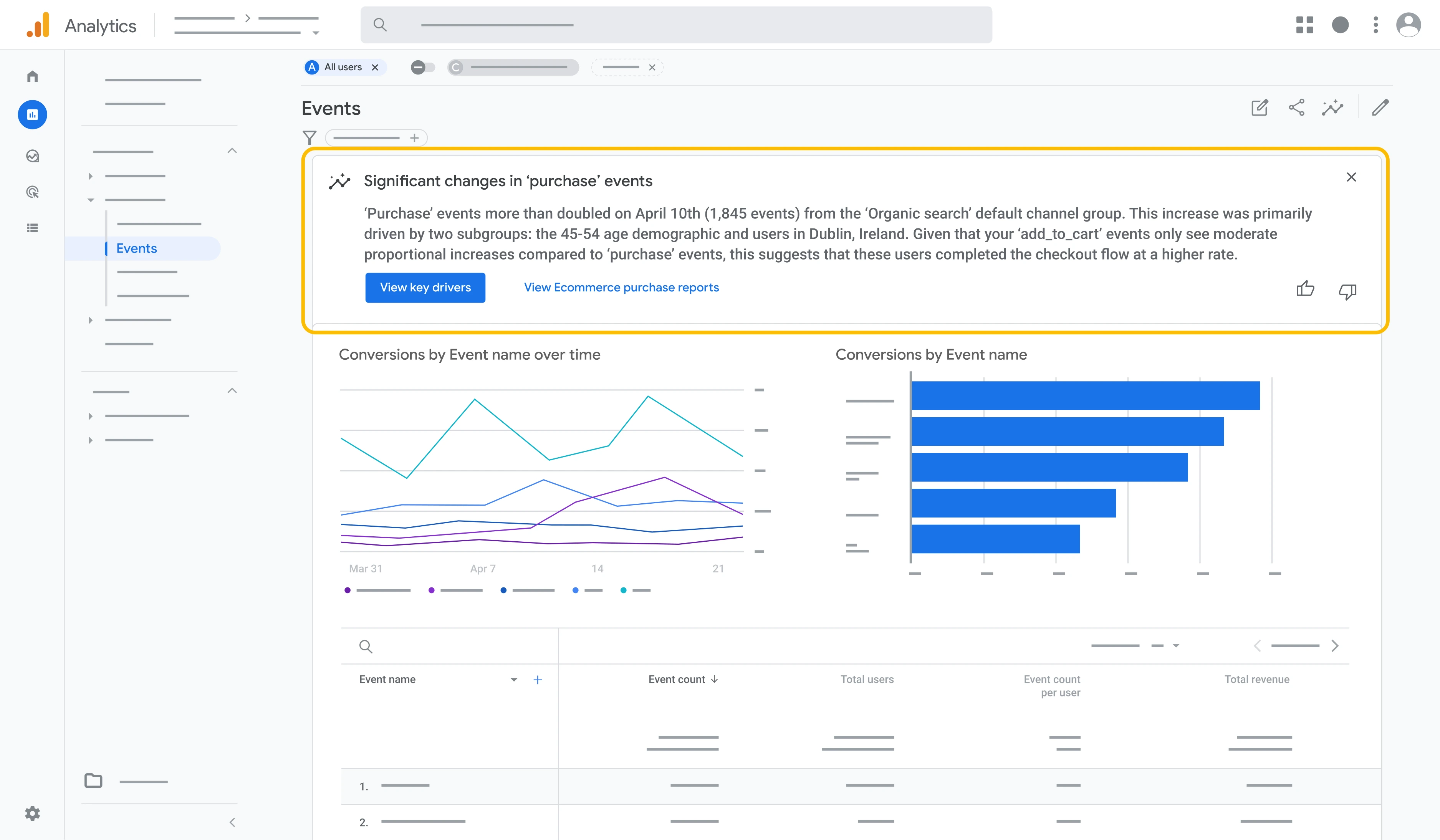
Instead of opening multiple reports and looking for changes, GA4 can now highlight notable activity directly on the Home page. That might be a spike in traffic, a change in conversion count or performance, unusual engagement trend, or something else that deserves a closer look.
For marketers managing multiple websites or properties, that’s not a bad thing.
Most of us have opened GA4 at some point and wondered where to start. Generated Insights attempts to answer that question by surfacing potential areas worth investigating.
The second update is Cross-Channel Budgeting, which is currently in beta.
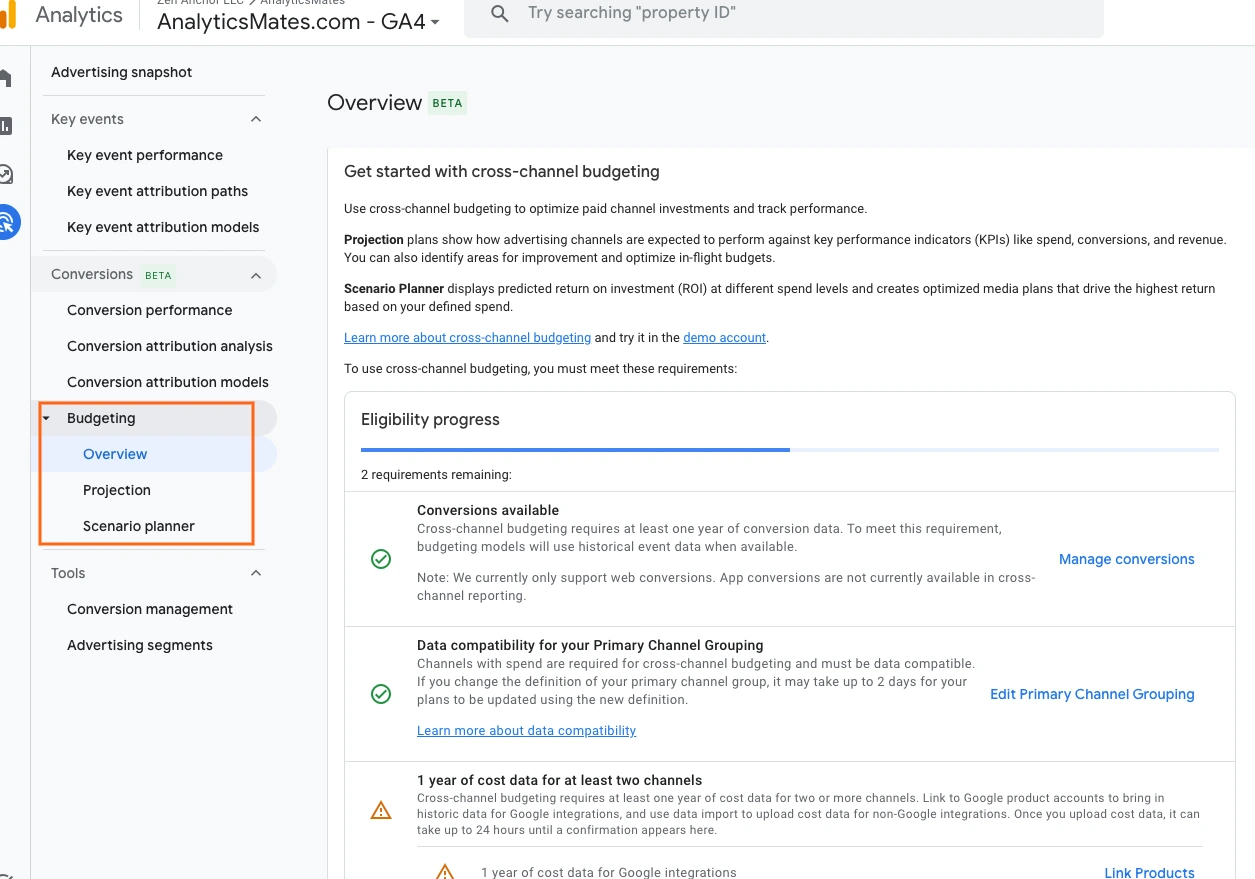
The goal is straightforward. Help marketers understand how budgets are being distributed across channels and provide recommendations for optimization from a single view rather than bouncing between multiple platforms.
It’s an interesting idea, but it’s still early.
Many properties don’t have access yet. So we just need to wait till it’s finally rolled out.
Neither of these updates changes the fundamentals.
Good reporting still starts with clean tracking. Accurate conversion data still matters. Human judgment still matters.
What these updates do reveal is the direction Google Analytics is moving.
Less time spent searching for answers.
More assistance identifying where to look next.
Frequently Asked Questions
Can I see ChatGPT traffic in GA4?
In many cases, yes. Google has started rolling out AI Assistant traffic classification, which helps identify visits coming from platforms like ChatGPT, Gemini, Claude, and similar tools. Availability still varies by property, so don’t be surprised if you don’t see it yet.
How much AI traffic are businesses actually getting?
It depends on the industry, but for most websites it’s still a relatively small slice of overall traffic. The interesting part isn’t necessarily the volume today. It’s having a way to track growth over time and understand whether those visitors eventually become leads, customers, or returning users.
Is AI traffic going to replace organic search?
We don’t see that happening anytime soon. Search remains the primary way people discover businesses online. What we’re seeing instead is the emergence of another acquisition channel that deserves attention alongside Organic Search, not in place of it.
Why is attribution still such a challenge?
Because real customer journeys are messy. Someone might discover your business through a blog post, come back through social media, click a Google Ad a week later, and finally convert after typing your URL directly into their browser. Trying to assign credit to every touchpoint isn’t always straightforward.
Should I take GA4 attribution reports at face value?
No reporting platform sees the entire picture. Attribution reports can provide valuable direction, but they should be used as part of the decision-making process rather than treated as absolute truth. Context still matters.
Does Task Assistant eliminate the need for a GA4 audit?
Not really. Task Assistant can highlight opportunities and surface useful recommendations, but it doesn’t evaluate your business goals, conversion strategy, tracking requirements, or reporting needs. That’s still where a proper audit provides value.
What if GA4 recommends something that doesn’t fit my business?
Ignore it if it doesn’t support your objectives. Google’s recommendations are designed for a wide range of businesses, which means some suggestions will be helpful while others may be completely irrelevant to your setup.
Final Thoughts
None of these updates are likely to transform your reporting overnight.
What they do show is where Google Analytics is headed. Less manual digging. More automation. More guidance built directly into the platform.
Some of that will save time. Some of it will probably create new questions from users. No matter what, that doesn’t change the fact that businesses that care and invest in clean tracking, reliable conversion data, and thoughtful analysis will continue to have an advantage regardless of what new features Google releases next.
Thank you for reading!
We’re always looking for ways to improve our Google Analytics 4 blog content. Please share your feedback so we can make it even better.
Keep reading
- Black Friday 2026: What's New in GA4, GTM, and Marketing Measurement?
Audit GA4 and GTM before Black Friday 2026. Validate purchase values, then review Google’s tagging and Ads updates. A new feature does not fix a broken purchase event.
- Google Is Changing How Tagging Works. What Does It Mean for GTM?
Google is merging the Google tag and GTM. Do not optimize a live container because a banner asked you to. Review, preview, then test the events that pay you.
- GA4 Dashboards Are Here. Are They Enough?
GA4 now has drag-and-drop dashboards. We built one on ours. Useful for watching GA4. Not enough for client reporting, and it will not fix bad tracking.
Work with us
Need this done for your property?
Analytics Mates handles GA4 setup, GTM implementation, Looker Studio dashboards, and the ongoing measurement operations that agencies and in-house teams don't have bandwidth for.